Proof of Presence: How to Prove Your Team Was Actually On Site
Somewhere between "the crew says they did it" and a client asking for evidence sits a very expensive gap. Guard tours, cleaning rounds, equipment inspections, and field visits all share the same problem: the work is invisible after the fact, and a paper sign-off proves almost nothing. Proof of presence closes that gap by turning each visit into a mapped, timestamped, exportable record.
This guide explains what proof of presence actually means, how QR codes with GPS produce it, and — honestly — what it can and can’t promise.
What "proof of presence" means
Proof of presence is a verifiable record that a specific person was at a specific place at a specific time. The three parts matter together. A timestamp alone doesn’t say where. A location alone doesn’t say who. A signature says neither reliably. Strong proof of presence captures all three at the moment the work happens.
How scan-to-log QR codes with GPS work
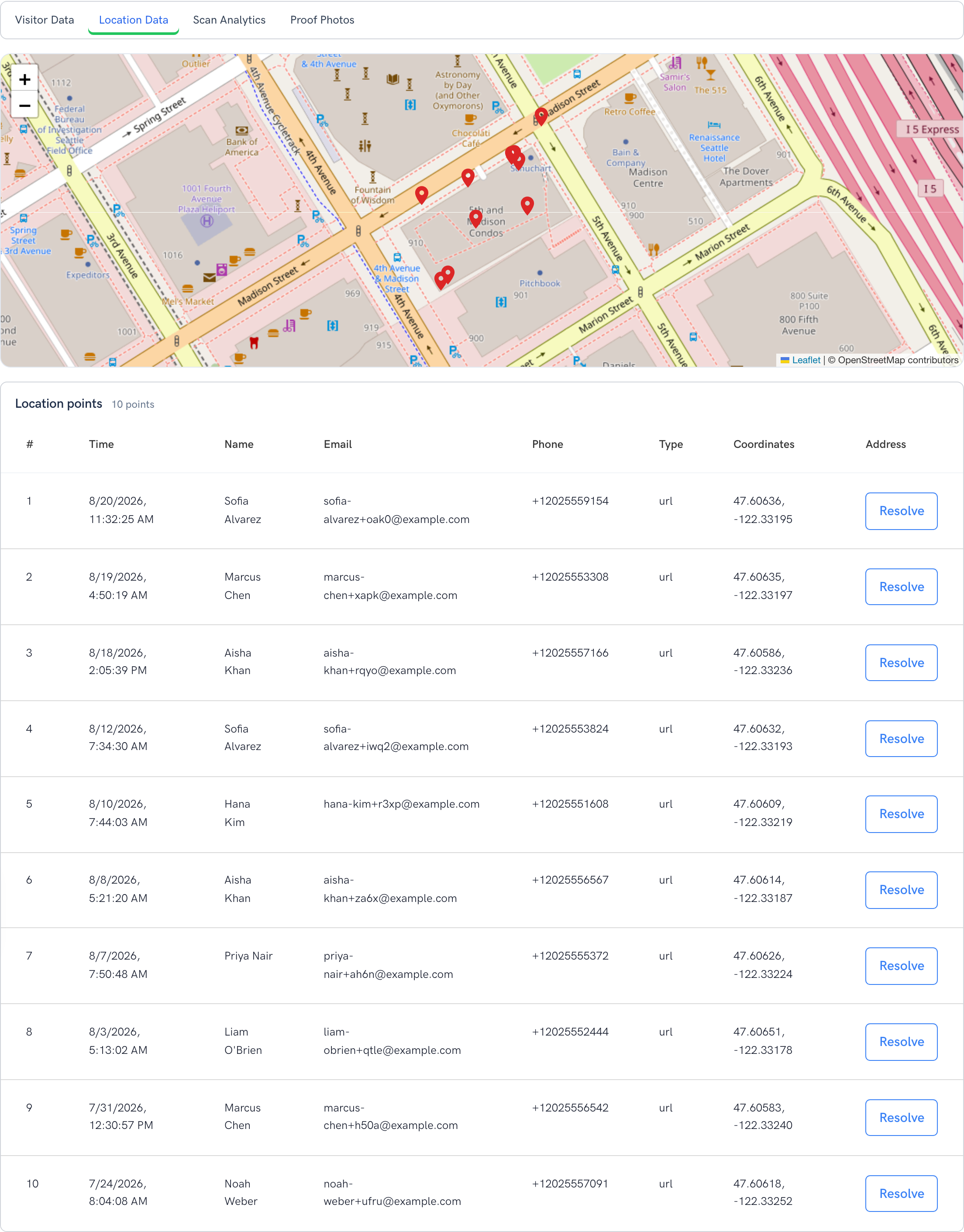
You post a unique QR code at each place you want verified — a floor, a checkpoint, a piece of equipment, a job site. When a staff member arrives, they scan the code with their phone’s native camera (no app to install) and confirm the check-in. In the browser, their device shares its GPS location, and the server stamps the exact time. The result: a check-in tied to a person, a place, and a moment.
What makes it hard to fake
The strength isn’t any single signal — it’s the combination that’s hard to fake together:
- A physical QR code posted at the location. To scan it, you generally have to be there to see it.
- Browser GPS captured at the moment of the scan, so the pin lands at the site — not at the office where the paperwork used to get filled in.
- A server-side timestamp that a staff member can’t hand-edit at the end of a shift.
Straight talk: what it does and doesn’t promise
We think honesty sells better than hype. No consumer-grade tool is fully tamper-proof against a determined user running a fake-GPS app on a rooted device. Proof of presence with QR + GPS + timestamp is built to end everyday disputes — "were they actually there?" — not to serve as court-grade anti-spoofing. For the overwhelming majority of rounding, cleaning, inspection, and field-visit work, it is dramatically stronger than a paper sheet and settles the question in seconds.
Add photo proof for service work
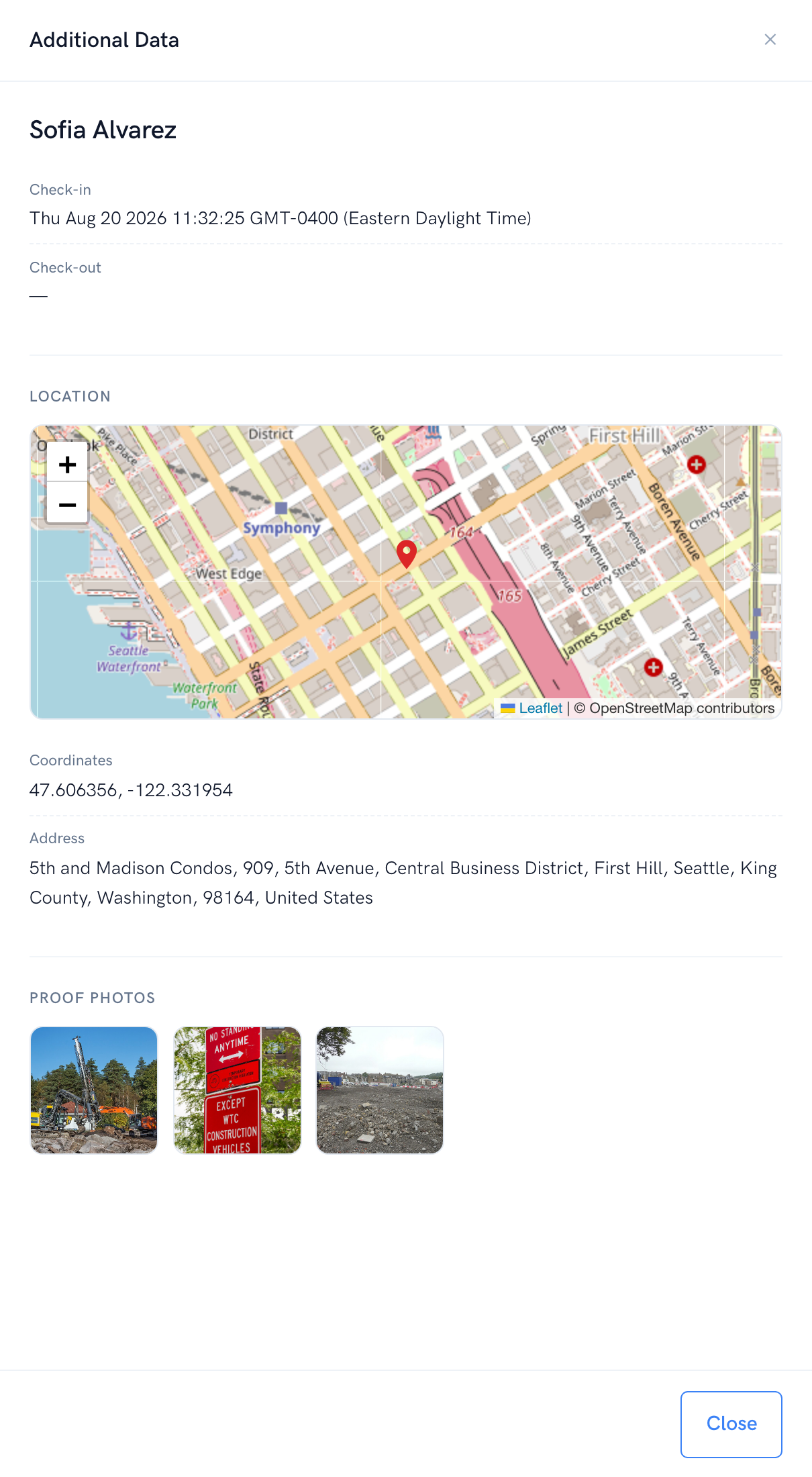
For cleaning, delivery, and inspections, location plus a photo is the gold standard. Require a photo at check-in and each record carries the map pin, the timestamp, the person, and the visual evidence — all in one place.
The part auditors and clients care about: export
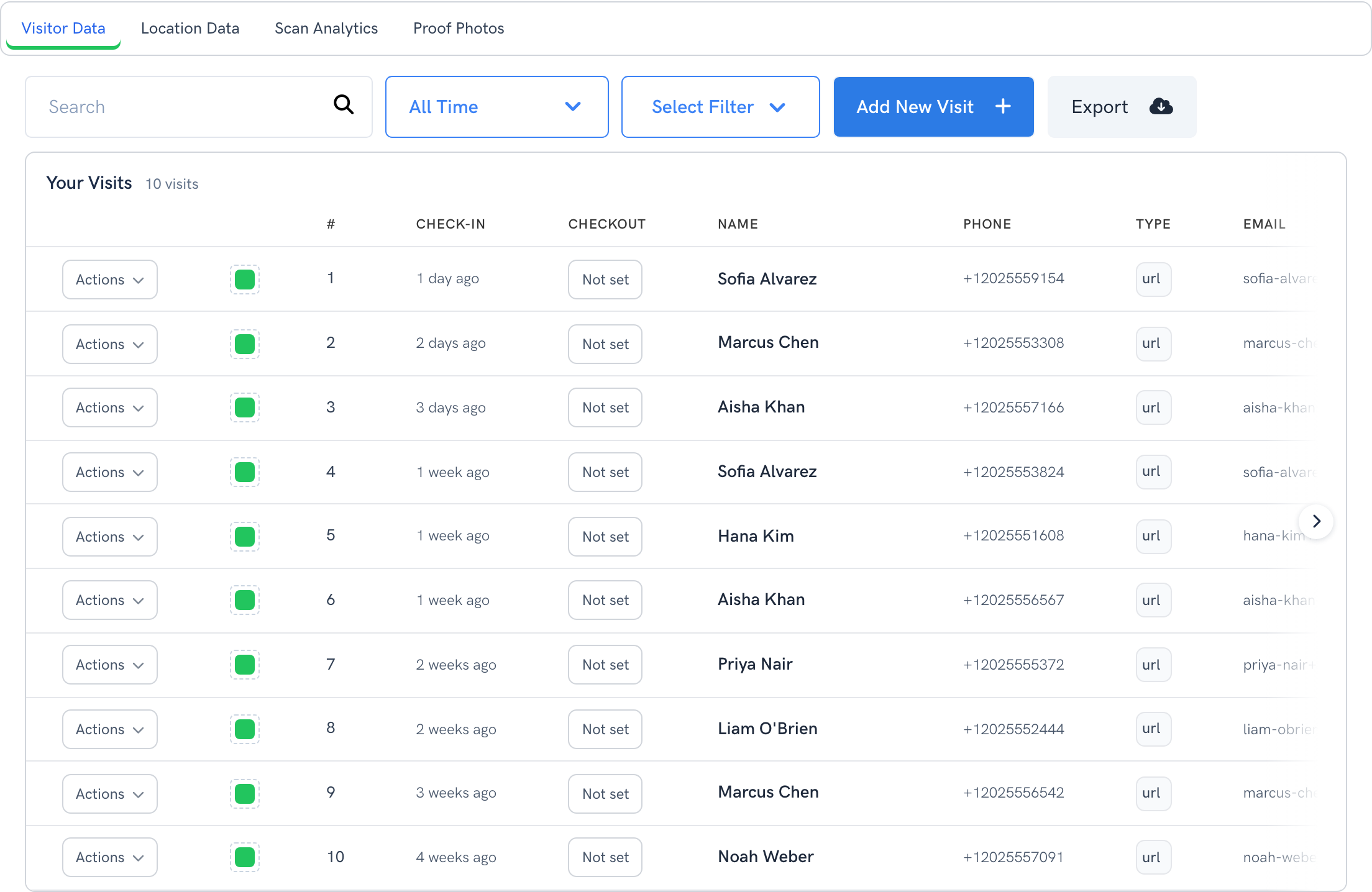
Proof is only useful if you can hand it over. Every check-in lands in a searchable log you can filter by date and export to CSV, or pull via API into your billing or work-order system. When a client questions an invoice or an auditor asks for March, the answer is a file, not a binder.
Setting it up
- Map the places you need verified — checkpoints, rooms, equipment, sites.
- Create a tracker per location and turn on location capture (set it to required to block check-in until location is shared).
- Require a photo where visual evidence matters (cleaning, inspections, deliveries).
- Print and post the codes where the work happens.
- Train in five minutes — scanning uses the native camera, so the only instruction is "scan and confirm."
Where teams use it
- Facilities & maintenance — prove rounds and equipment checks. See operations & maintenance.
- Cleaning & janitorial — prove service to clients with location + photo per visit.
- Guard tours & patrols — show each checkpoint was physically reached.
- Field service — prove a technician was on site before an invoice goes out.
The bottom line
If your team is judged on whether work got done — and increasingly asked to prove it — proof of presence replaces "trust me" with a record you can hand over in seconds. It needs no app and no hardware, and it sets up in an afternoon.
See it in action on the proof-of-presence overview, review pricing, or talk to us about your workflow.